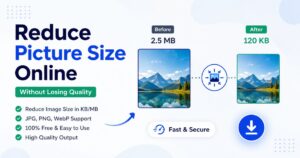
आजकल almost हर online काम में picture upload करनी पड़ती है। चाहे सरकारी form हो, job application, school admission, passport photo, या फिर social media और website — हर जगह image size limit दी होती है। इसलिए reduce picture size – online without losing quality करना जरुरी हो जाता है
लेकिन असली problem तब आती है जब website error दिखाती है:
- “Picture size too large”
- “Upload image below 50KB”
- “Maximum file size exceeded”
- reduce picture size-online-without-losing-quality
और फिर लोग screenshot लेकर size कम करने की कोशिश करते हैं। कई लोग WhatsApp पर photo भेजकर download करते हैं ताकि picture size थोड़ा कम हो जाए। लेकिन इन तरीकों में सबसे बड़ी दिक्कत यह है कि picture की quality खराब हो जाती है। Image blur दिखने लगती है और details साफ नहीं रहतीं। मैंने खुद कई बार यह समस्या face की है, खासकर mobile से सरकारी forms भरते समय। पहले picture resize करना काफी मुश्किल लगता था, लेकिन अब online tools की मदद से यह काम कुछ seconds में हो जाता है — वो भी बिना quality खराब किए। अगर आप भी यही problem face कर रहे हैं, तो यह article आपके लिए काफी useful हो सकता है।
Reduce Picture Size Online Without Losing Qualit
अगर आप बिना किसी software के picture size कम करना चाहते हैं, तो online image resizer सबसे आसान तरीका है। आप यह free tool इस्तेमाल कर सकते हैं:
👉 CreatorFix Picture Resizer Tool
यह tool:
- Mobile friendly है
- Fast काम करता है
- JPG, PNG और WebP support करता है
- Quality maintain रखने की कोशिश करता है
Picture Size Reduce करने की जरूरत क्यों पड़ती है?
Picture size कम करने के कई कारण होते हैं।
1. Government Forms के लिए
अधिकतर सरकारी websites image size limit रखती हैं।
जैसे:
- 20KB photo
- 50KB image
- 100KB document
अगर picture size ज्यादा हो जाए, तो form submit नहीं होता।
2. Website Speed Improve करने के लिए
Heavy pictures website को slow बना देती हैं।
Compressed images:
- जल्दी load होती हैं
- SEO improve करती हैं
- User experience बेहतर बनाती हैं
3. Mobile Storage बचाने के लिए
High-quality photos बहुत ज्यादा storage लेती हैं।
Reduced picture size storage बचाने में मदद करता है।
4. Faster Sharing
Small size pictures:
- जल्दी upload होती हैं
- Email में आसानी से भेजी जा सकती हैं
- Slow internet पर भी fast खुलती हैं
Picture Size कम करने का सबसे आसान तरीका
Picture size reduce करने का simple तरीका:
- Picture upload करें
- Required size चुनें
- Compress/Resize button दबाएं
- Download करें
बस।
👉 Direct Tool:
Reduce Picture Size Online Free
JPG, PNG और WebP में कौन बेहतर है?
JPG
- Photos के लिए best
- Size कम रहता है
- Most popular format
PNG
- Better quality
- Transparent background support
- Size थोड़ा बड़ा
WebP
- Modern format
- Better compression
- Website speed के लिए अच्छा
अगर आपका main goal picture size कम करना है, तो WebP काफी useful हो सकता है।आज ज्यादातर लोग mobile से ही forms भरते हैं। अच्छी बात यह है कि अब laptop की जरूरत नहीं है।
Mobile में:
- Browser open करें
- Tool पर जाएं
- Picture upload करें
- Resize करें
- Download करें
इतना आसान। Mobile Friendly Tool: Free Online Picture Compressor
बिना Quality खराब किए Picture Size कैसे कम होता है?
Modern image compression tools smart optimization इस्तेमाल करते हैं। ये unnecessary data remove करते हैं लेकिन visible quality को काफी हद तक same रखते हैं।
इसीलिए सही tool इस्तेमाल करना जरूरी है।
Best Tips to Reduce Picture Size
- Original image use करें
- बहुत ज्यादा compression avoid करें
- Screenshot वाली images use न करें
- Proper dimensions रखें
- WebP format try करें
Bloggers और Website Owners के लिए जरूरी क्यों है?
अगर आपकी website है, तो optimized images बहुत जरूरी हैं।
Benefits:
- Faster loading
- Better Core Web Vitals
- Improved SEO
- Lower bounce rate
- Better user experience
Google fast websites को ज्यादा prefer करता है।
Online Picture Resizer Safe है?
हर tool safe नहीं होता। इसलिए trusted websites ही use करें।
अगर आप lightweight और easy tool ढूंढ रहे हैं, तो यह try कर सकते हैं:
Final Thoughts
Picture size reduce करना आज लगभग हर internet user की जरूरत बन चुका है। अच्छी बात यह है कि अब यह काम बिना technical knowledge के भी आसानी से किया जा सकता है।
अगर आप:
- image upload errors
- large picture size
- online form issues
- slow website
जैसी समस्याओं से परेशान हैं, तो online picture resize tools आपकी काफी मदद कर सकते हैं।
Fast और easy picture resizing के लिए यह tool try करें:
FAQs – Reduce Picture Size Online
क्या picture size कम करने से quality खराब हो जाती है?
अगर सही image compression tool इस्तेमाल किया जाए, तो picture की quality काफी हद तक maintain रहती है। Modern image resizer tools smart compression technology का इस्तेमाल करते हैं जिससे file size कम हो जाता है लेकिन image blur नहीं होती। यही वजह है कि आज लोग online picture resizer tools ज्यादा इस्तेमाल कर रहे हैं।
क्या mobile से picture resize कर सकते हैं?
हाँ, बिल्कुल। आज ज्यादातर online picture resize tools mobile-friendly होते हैं। आप अपने Android या iPhone browser से सीधे picture upload करके उसका size कम कर सकते हैं। इसके लिए किसी app या software की जरूरत नहीं पड़ती।
कौन सा image format सबसे अच्छा है?
यह आपकी जरूरत पर depend करता है।
- JPG – Photos और normal images के लिए सबसे popular format
- PNG – Transparent background और high-quality graphics के लिए अच्छा
- WebP – Better compression और fast website loading के लिए best
अगर आपका goal website speed और low file size है, तो WebP काफी अच्छा option माना जाता है।
क्या online picture resizer free होते हैं?
हाँ, इंटरनेट पर कई free picture resizer tools available हैं जिनकी मदद से आप बिना पैसे दिए image size कम कर सकते हैं। कई tools basic resize, compress और convert features free में देते हैं।
Government form के लिए picture कैसे resize करें?
Government forms में अक्सर specific size मांगा जाता है जैसे:
- 20KB photo
- 50KB signature
- 100KB image
ऐसे में online image resizer tool सबसे आसान तरीका होता है। आप image upload करके required KB size में आसानी से photo तैयार कर सकते हैं।
👉 Resize Picture for Online Forms
क्या compressed images SEO improve करती हैं?
हाँ, optimized और compressed images website speed improve करने में मदद करती हैं। Faster loading websites का user experience बेहतर होता है और इससे SEO पर भी positive असर पड़ सकता है। यही कारण है कि bloggers और website owners images compress करना prefer करते हैं।
Picture size कम करने का सबसे आसान तरीका क्या है?
Picture size कम करने का सबसे आसान तरीका online picture resizer tool इस्तेमाल करना है। इसमें आपको सिर्फ image upload करनी होती है, फिर resize/compress button दबाना होता है और कुछ seconds में optimized image download हो जाती है।
क्या बिना software install किए picture size reduce कर सकते हैं?
हाँ, बिल्कुल। आज online tools की मदद से browser के अंदर ही picture size reduce किया जा सकता है। इससे storage भी बचती है और extra apps install करने की जरूरत भी नहीं पड़ती।
क्या online image compressor safe होते हैं?
Trusted और secure websites इस्तेमाल करने पर online image compressor generally safe होते हैं। हमेशा reliable tools ही use करें ताकि आपकी images secure रहें।
Best free picture resize tool कौन सा है?
अगर आप fast, simple और mobile-friendly tool ढूंढ रहे हैं, तो आप यह free tool try कर सकते हैं:
👉 CreatorFix Free Picture Resizer Tool
यह tool:
- JPG, PNG, WebP support करता है
- Mobile और desktop दोनों पर काम करता है
- Fast compression देता है
- Online forms और website images के लिए useful है
क्या online image compressor safe होते हैं?
Trusted websites इस्तेमाल करने पर online image compressor generally safe होते हैं। हमेशा reliable tools ही use करें ताकि आपकी images secure रहें। कई users lightweight platforms जैसे CreatorFix Free Image Tools prefer करते हैं।
Best free picture resize tool कौन सा है?
अगर आप fast, simple और mobile-friendly tool ढूंढ रहे हैं, तो आप CreatorFix Free Picture Resizer Tool try कर सकते हैं। यह JPG, PNG और WebP images support करता है और online forms, blogging तथा website optimization के लिए काफी useful हो सकता है।